Hidden Switch
The Hidden Switch mechanic allows for creating covert switches, using levers or buttons hidden behind a wall. Upon right clicking the wall, the hidden lever or button will be toggled.
Construction
Hidden Switches consist of three parts:
A block for the player to right click in order to toggle the switch
A wall sign on the toggle block, with
[X]on the second lineA lever or button below the sign
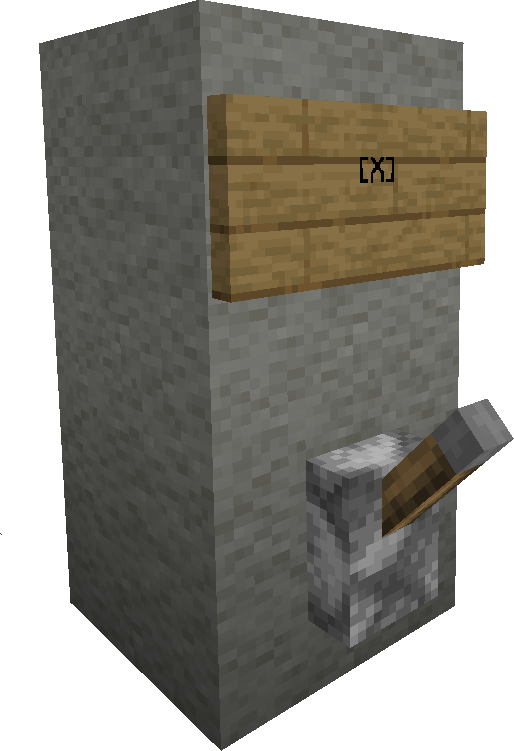
Any Face
If the allow-any-face option is enabled, any face of the toggle block can be right clicked to toggle the switch. If this is disabled however, only the side of the block opposite the sign will work.
Access Restrictions
Permission Groups
If a permission group is written on the third line of the sign, only players who are a part of this group will be allowed to use the switch.
Configuration
Node |
Comment |
Default |
|---|---|---|
|
Allows the Hidden Switch to be activated from any face of the block. |
true |
Permissions
Permission Node |
Effect |
|---|---|
|
Allows the creation of Hidden Switch signs |
|
Allows using Hidden Switch mechanics |